Device Sync
Your library, in step,
without the cloud
Device Sync pairs your Mac with an iPhone or iPad over your local Wi-Fi network. You choose what ends up on each device, Plinth shows you exactly what's about to change, and nothing moves until you confirm it.
How Device Sync works
Pair once
Type the 6-digit code your device shows into the Mac. Both screens then display a 4-digit check that has to be confirmed on each side before pairing completes, so an impersonator on the same network can't quietly join.
Choose what syncs
On the Mac, tick songs, albums, or artists for Include in Sync — on by default for new imports. A synced device ends up holding exactly the set you've ticked, nothing more.
Review the plan before anything moves
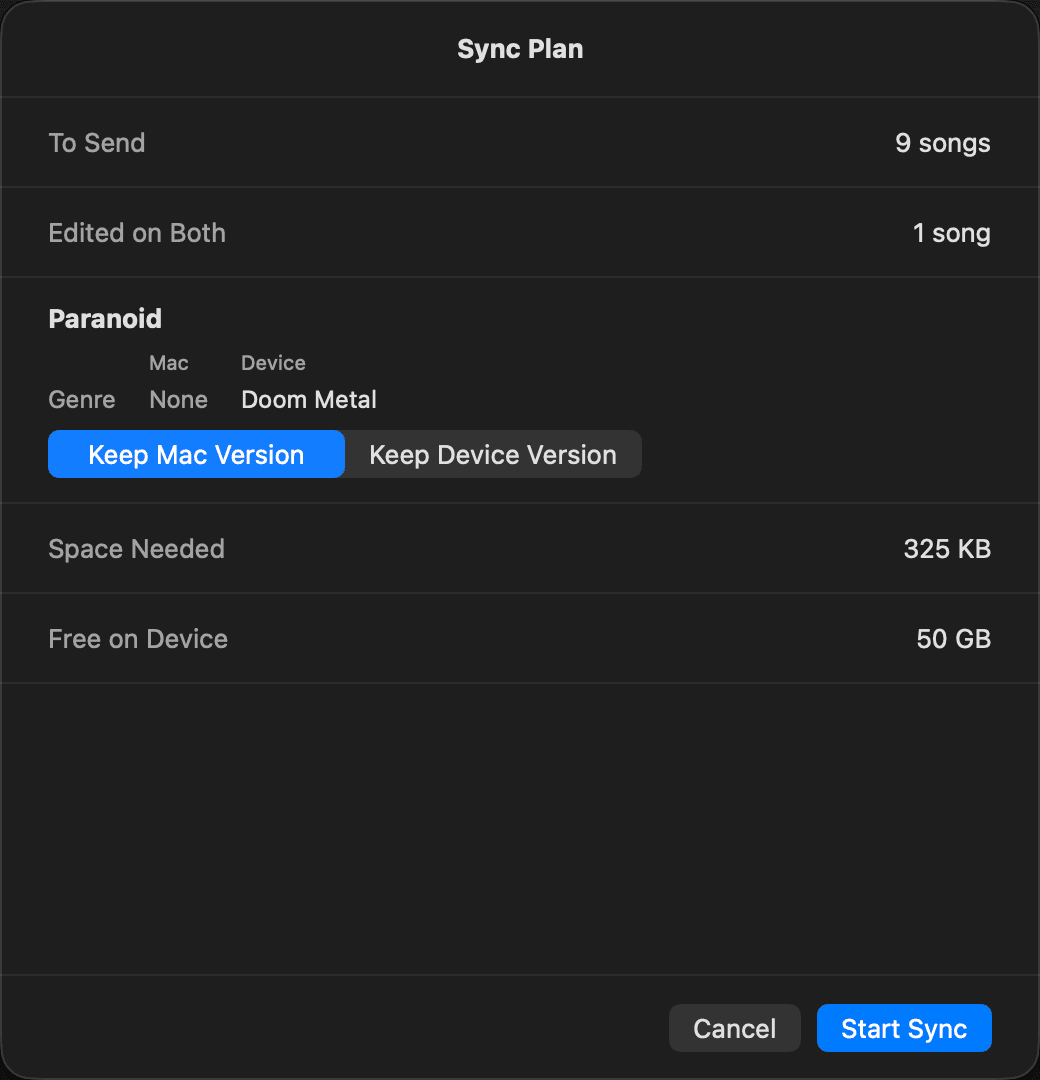
Before a single file changes, Plinth shows a sync plan listing what will be sent, what will be removed, and what's in conflict. You approve it; nothing happens silently in the background.
Tag edits flow both ways
Edit a title or artist on either side and it syncs over on the next run. If the same tag changed on both sides since the last sync, the plan flags it as a conflict and you pick Keep Mac Version or Keep Device Version per song.
Questions about Device Sync
How does pairing work?+
Type a 6-digit code shown on your device into the Mac. Both screens then show a 4-digit check that has to be confirmed on both sides before pairing completes — this protects against an impersonator joining the same network.
What does "Include in Sync" mean?+
It's a per-song tick on the Mac, on by default for new imports, that decides what ends up on your synced devices. A device in Sync mode holds exactly the songs you've ticked. You can set it per song, per album, or per artist.
What happens if I edit a tag on both the Mac and my device?+
If a tag was changed on both sides since the last sync, the sync plan flags it as a conflict and shows both versions. You choose "Keep Mac Version" (the default) or "Keep Device Version" per song — nothing is silently overwritten.
Does Device Sync need an internet connection?+
No. Sync runs entirely over your local Wi-Fi network, encrypted with TLS-PSK and accepted only from the paired Mac. Both the Mac and the device need Plinth open and on the same network while syncing.
Do my Mac and device need to be on the same Plinth version?+
In practice, yes — both sides need to be running 1.6.0 or later, the version Device Sync shipped in.
Does sync keep my original audio files, tags, and artwork?+
Yes, at full fidelity — your original audio files are synced as-is with no re-encoding, along with tags and artwork. Play counts and listening stats aren't synced; each device keeps its own.