
Playback
Zero silence between tracks,
exactly as much blend as you want
Plinth plays albums the way they were mixed — no gap between tracks by default — and lets you add a crossfade blend on top, adjustable from nothing to a full 12 seconds.
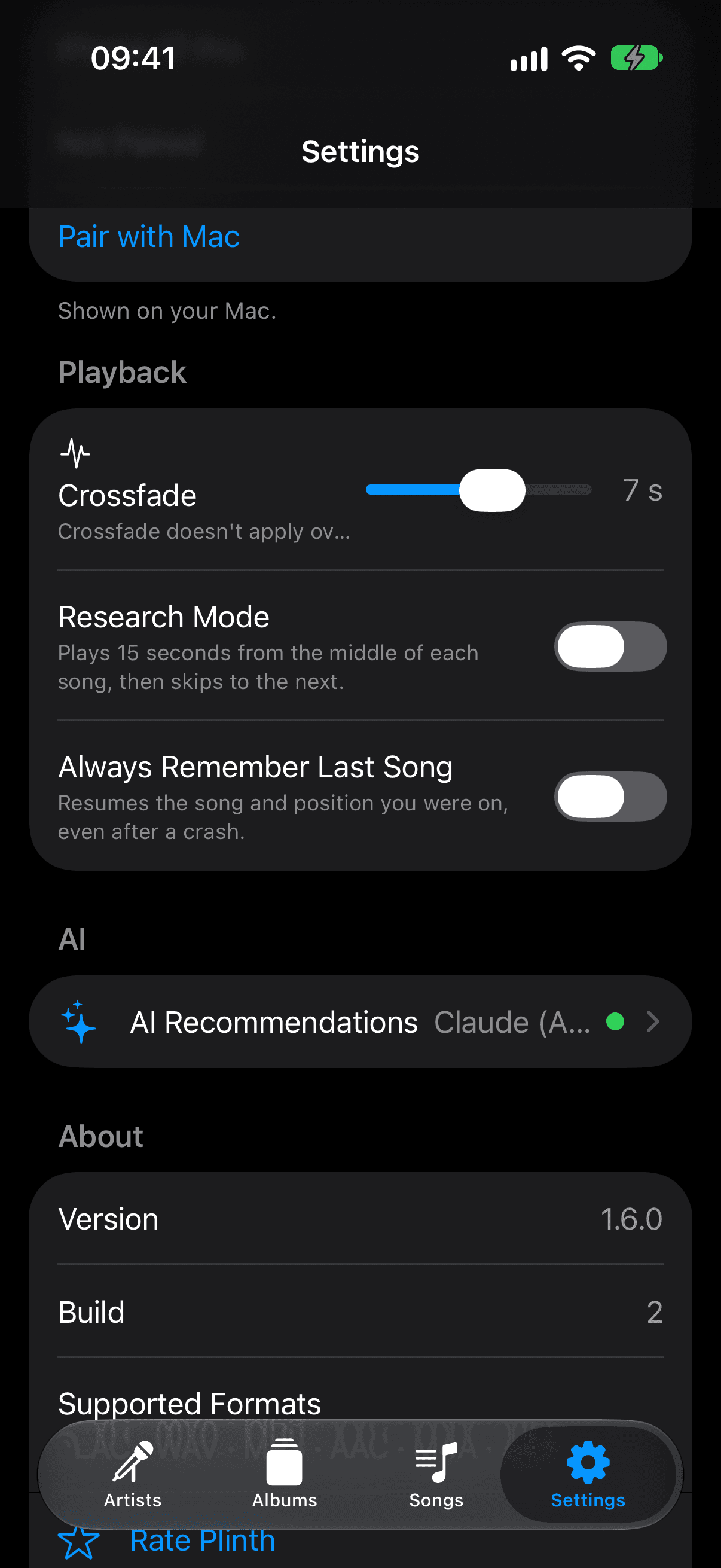
How crossfade works
Gapless by default
There's no silence inserted between tracks out of the box — a live album or a continuous mix plays the way it was mastered, with zero gap.
Crossfade is adjustable, 0–12 seconds
In Settings → Playback, drag the Crossfade slider to blend the end of one track into the start of the next — anywhere from off to a full 12-second overlap.
Skipped automatically over AirPlay
Crossfade relies on blending two local playback decks inside Plinth's own engine. AirPlay hands audio off to an external receiver instead, so Plinth skips the crossfade step automatically whenever you're streaming over AirPlay.
Questions about Crossfade & Gapless Playback
Does crossfade affect Hi-Res Lossless playback?+
No. Crossfade blends the end of one track into the start of the next, but it doesn't alter the file's bit depth or sample rate. The Hi-Res Lossless badge reflects the source file itself, regardless of whether crossfade or gapless playback is active.
Why doesn't crossfade work over AirPlay?+
Crossfade is built on blending two local playback decks inside Plinth's own engine. AirPlay routes audio out to an external receiver instead of through that engine, so Plinth automatically skips the crossfade step whenever you're playing over AirPlay.
How do I adjust the crossfade duration?+
Open Settings → Playback and drag the Crossfade slider anywhere from 0 seconds (off, fully gapless) up to 12 seconds.